MaPass
No ads · No tracking

Your passwords.
Only you can read them.

A combination safe for your passwords, cards, notes and passkeys. We keep the safe for you, but never the key.
  • End-to-end encrypted
  • Works offline
  • No ads
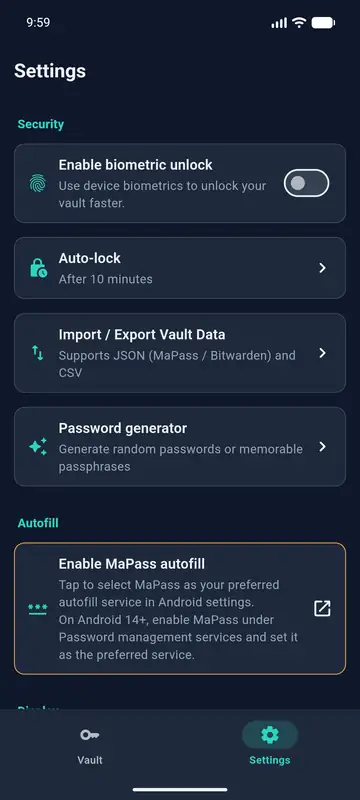
Security settings
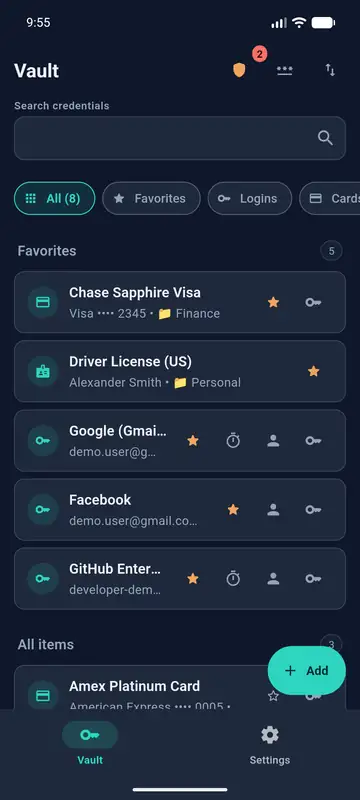
The MaPass password vault
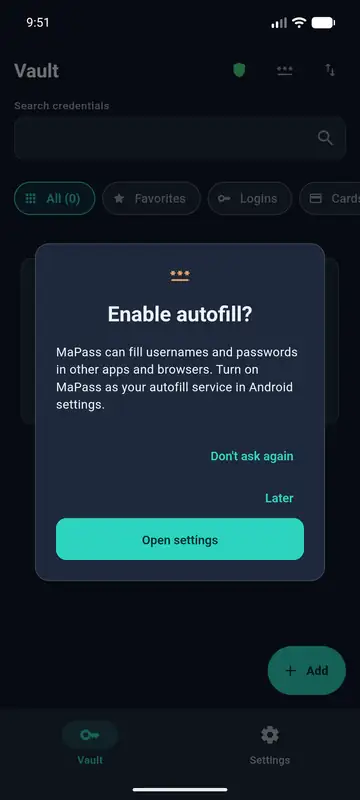
MaPass suggesting an autofill sign-in
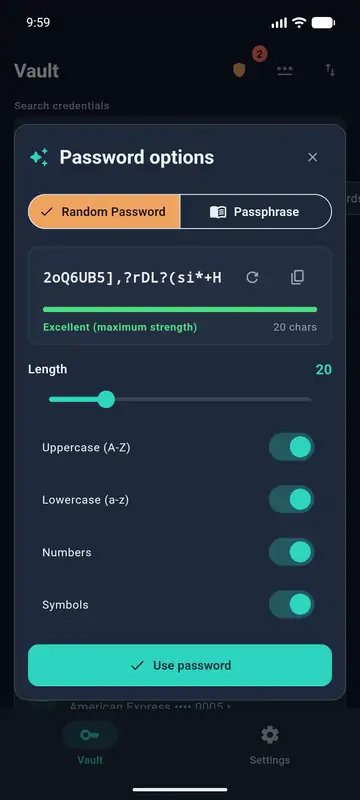
The strong password generator
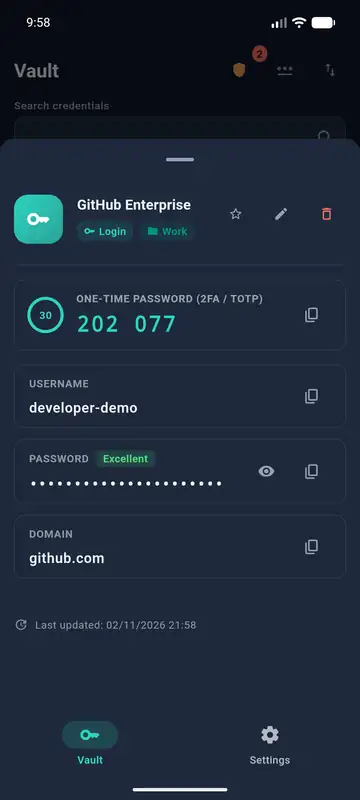
Account detail with two-step codes
Available on:

Hitting “Forgot password” for the fifth time this week?

Time they had a safe of their own.

01

Sign in with one tap

MaPass suggests the right account in apps and on websites. No typing, no copying, no remembering.

  • Works in Android apps and desktop browsers
  • Supports passkeys, signing in without a password
  • Suggests the right account for each site
MaPass autofill prompt
  • 02

    Strong passwords, made for you

    Create a long, hard-to-guess password with one tap. MaPass also shows you which passwords are weak or reused.

    • Choose length and character types
    • Warnings for weak or reused passwords
    • Easy-to-remember phrases that are still hard to guess
  • 03

    Everything important, in one place

    Beyond passwords, you can keep cards, IDs, notes and even two-step verification codes right next to the account they belong to.

    • Cards and personal details fill in fast at checkout
    • Two-step codes shown right inside the account
    • Import from elsewhere and export any time
  • 04

    Always locked, quick to open

    The vault locks itself when you are away. Open it again with your fingerprint or face in a blink.

    • Locks after a time you choose
    • Unlock with fingerprint or face
    • Light and dark themes, Vietnamese and English

Get started in three steps

  1. 1

    Create your vault

    Set a master password. It is your only key, so choose a phrase only you can remember.

  2. 2

    Add your passwords

    Import from your old manager, or add them as you sign in.

  3. 3

    Let MaPass do the rest

    From now on MaPass suggests and fills in for you, everywhere.

How the safe works

We keep the safe. Only you keep the key.

Your data is locked on your device, before it ever leaves. All our servers receive is gibberish we cannot read.

YouMaster passwordLives only in your head. Never sent anywhere.
On your deviceArgon2idTurns it into a strong key, deliberately slow for guessers.
The keyAES-256Locks every item in your vault before it syncs.
In transitAlready lockedEverything crossing the network is locked first.
MaPass serverSees ciphertextNo key means no reading, and nothing to sell.

Only you hold the key

Your master password stays on your device. We keep no copy.

Locked from the start

Your data is locked on your device before it syncs.

No selling, no ads

We do not track behavior and we do not sell data.

Learn about security

Add it here, use it everywhere

Save a password on your phone and use it right away on your computer. The vault opens even without internet, and changes sync when you are back online.

Plans

Start for free. Upgrade when you want to use more devices.

Free

0đ

  • All features
  • Sync on up to 2 devices
  • No ads
Start free
Best value

1 year

249,000đ / year

Save about 28% compared with monthly

  • Everything in Free
  • Sync on unlimited devices
Get MaPass to upgrade

Lifetime

599,000đ one time

Pay once, keep it forever

  • Everything in Free
  • Sync on unlimited devices
Get MaPass to upgrade

Prices are in Vietnamese dong (VND). The exact amount is shown in the app before you pay.

Frequently asked questions

What is the master password?

It is the one password that opens your vault. You choose it and only you know it. Pick a long phrase that is easy for you to remember.

Can MaPass read my passwords?

No. Your vault is locked on your device, so we only ever see locked data.

What if I forget my master password?

We do not keep it, so we cannot recover it for you. Write it down somewhere safe and export your vault regularly as a backup.

How many devices can I use?

The Free plan syncs up to 2 devices. Premium has no device limit.

Is there a web version?

No. For better safety, use the Android app, the Windows app or the browser extension.

See all questions

Ready to sign in the easy way?

Get MaPass and start for free.